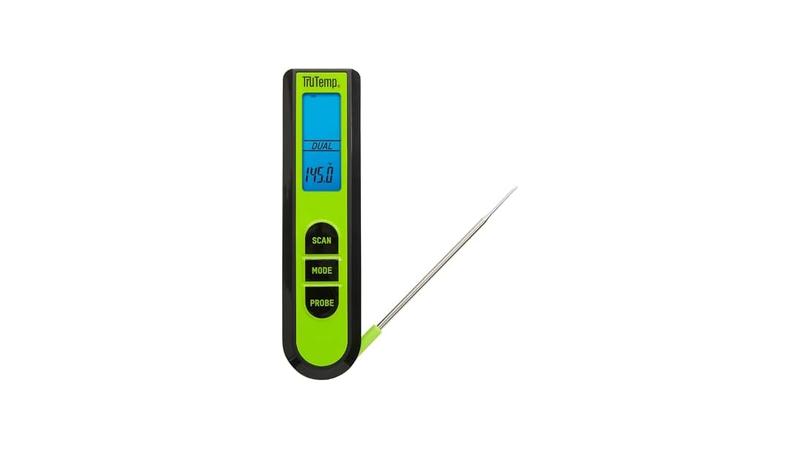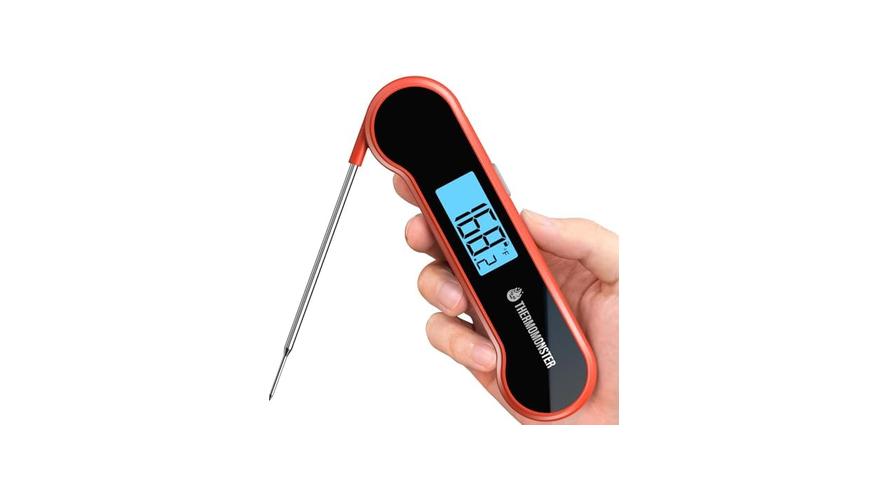
Having your meat thermometer’s screen go blank can be a real bummer when you’re trying to cook the perfect meal. For folks just getting started in the kitchen, figuring out why the Meat Thermometer Screen Not Working Fix is a puzzle can feel tricky. It’s not as hard as it looks, though!
We’ll walk through it step-by-step to get your thermometer back in action. Stay tuned, and you’ll be cooking with confidence again in no time.
Understanding Why Your Meat Thermometer Screen Isn’t Working
It’s a common problem when your meat thermometer’s display suddenly goes dark. This can happen for a few reasons, and often, the fix is quite simple. Many beginner cooks worry that this means their thermometer is broken for good.
This section will help you pinpoint the likely cause of a blank screen. We’ll talk about what makes these screens stop working and what you can do about it. By the end, you’ll have a clearer picture of how to troubleshoot this issue.
Battery Issues: The Most Likely Culprit
Most digital meat thermometers run on small batteries, usually coin-cell or AAA. Batteries are the number one reason a screen won’t turn on. Over time, they lose their power, and when that happens, the thermometer can’t light up its display.
It’s like trying to start a car with a dead battery; nothing happens.
Replacing the batteries is usually straightforward. You’ll need to find the battery compartment, often on the back or handle of the thermometer. Sometimes, there’s a small screw holding it shut, while other times it just pops open.
Always check your thermometer’s manual if you’re unsure. Using fresh, new batteries is key. Don’t try to reuse old ones, even if they seem to have a little power left.
Why Batteries Matter:
- Power Source: Batteries provide the electricity needed for the thermometer’s internal circuits and display to function. Without sufficient power, the screen remains dark.
- Longevity: Batteries don’t last forever. Their lifespan depends on how often the thermometer is used and the quality of the batteries themselves.
If your thermometer has been sitting unused for a while, the batteries might have slowly drained. Even if it’s not used often, the internal clock or standby mode can consume power over time. So, a blank screen after a period of inactivity is a strong sign that new batteries are needed.
Corroded Battery Terminals
Sometimes, the problem isn’t just dead batteries but also what’s happening where the batteries connect. If your thermometer has been exposed to moisture or left with old batteries for too long, the metal parts where the battery sits can get corroded. This corrosion looks like a powdery or flaky buildup, often white or greenish.
This gunk gets in the way and stops the electricity from flowing properly.
Cleaning these terminals is important. You can use a pencil eraser to gently rub away the corrosion. For tougher buildup, a cotton swab dipped in a little bit of white vinegar or rubbing alcohol can work.
Be sure to let the area dry completely before putting in new batteries. This step is crucial for ensuring a good connection.
Cleaning Corrosion:
- Gentle Scrubbing: Use a soft eraser or cotton swab.
- Cleaning Solution: White vinegar or rubbing alcohol can help dissolve buildup.
- Drying is Key: Ensure terminals are dry before reinserting batteries.
This cleaning step is a lifesaver for many electronic devices that seem to have failed. It’s a simple maintenance task that can bring your thermometer back to life. If you’ve never checked the battery terminals before, it’s a good habit to get into, especially if you live in a humid environment or your kitchen tends to get steamy.
Loose Battery Connection
Even with fresh batteries, the screen might not turn on if the batteries aren’t making good contact. This can happen if the battery compartment is a bit loose or if something is preventing the battery from sitting snugly in place. It’s a simple physical issue that’s easy to fix.
Make sure the batteries are inserted correctly, noting the plus (+) and minus (-) signs. Sometimes, pushing down firmly on the battery cover can help seat the batteries better. If the battery contacts inside the compartment look bent or damaged, you might be able to gently bend them back into place with a small tool.
Just be careful not to break them.
Checking Connections:
- Correct Orientation: Ensure batteries are facing the right way.
- Firm Seating: Batteries should be snug in their compartment.
- Contact Integrity: Look for bent or damaged metal contacts.
This is a quick check that can save you a lot of frustration. It’s easy to overlook such a basic step when you’re eager to get cooking. Think of it like making sure a plug is fully in the wall socket; a loose connection means no power.

Troubleshooting a Blank Meat Thermometer Screen
When your meat thermometer screen is blank, it’s time to do some detective work. This guide provides a structured approach to figuring out the problem. We will go through common issues and how to address them.
Following these steps can help you quickly get your thermometer working again without needing a new one.
Step 1: Check and Replace Batteries
This is the first and most important step. Almost all digital thermometers rely on batteries to operate. If the screen is blank, the most common reason is that the batteries are dead or low on power.
Even if you think you just replaced them, it’s worth double-checking.
Action:
- Locate Battery Compartment: Find where the batteries go. This is usually on the back or handle.
- Remove Old Batteries: Take out the current batteries.
- Insert New Batteries: Put in brand-new batteries. Make sure they are the correct type and size for your thermometer. Pay close attention to the positive (+) and negative (-) signs to ensure they are installed correctly.
- Test: Turn the thermometer on to see if the screen lights up.
It’s a good idea to have a spare set of the correct batteries on hand. This way, you can swap them out immediately. Sometimes, batteries can appear fine but still not provide enough power.
Using a fresh pack guarantees you’re starting with the best possible power source.
Step 2: Clean Battery Terminals
If new batteries don’t solve the problem, the next step is to look at the battery terminals. These are the small metal pieces inside the battery compartment where the batteries make contact. Over time, these can get dirty or corroded, preventing a good electrical connection.
Action:
- Inspect Terminals: Look closely at the metal contacts inside the battery compartment.
- Identify Corrosion: See if there’s any white, green, or powdery substance.
- Clean Gently: Use a pencil eraser to rub off any light corrosion. For more stubborn buildup, use a cotton swab dipped in a small amount of isopropyl alcohol (rubbing alcohol) or white vinegar.
- Dry Thoroughly: Make sure the terminals are completely dry before proceeding.
- Reinsert Batteries: Put in the new batteries again and test.
This cleaning process is vital. Even a thin layer of corrosion can disrupt the flow of electricity. It’s a simple step that can often revive a seemingly dead device.
Always use a light touch to avoid damaging the metal contacts.
Step 3: Check Battery Cover and Connection
A loose battery cover or a slightly misaligned battery can also prevent the thermometer from turning on. The batteries need to be held firmly in place to maintain constant contact with the terminals.
Action:
- Secure Battery Cover: Ensure the battery cover is closed properly and latched securely.
- Check Battery Seating: Make sure the batteries are sitting flat and snug within their slots.
- Inspect Contacts: Gently check if the metal contacts that touch the batteries are bent or damaged. If they look a little out of place, you might be able to carefully bend them back with a small, non-metallic tool (like a plastic toothpick).
- Firm Press: Sometimes, pressing down on the batteries or the cover can help establish a better connection.
This step is about ensuring a solid, consistent electrical pathway. If the batteries are rattling around or not firmly pressed against the contacts, the thermometer won’t get the steady power it needs. Think of it as making sure a light bulb is screwed in tightly.
Step 4: Reset the Thermometer (If Applicable)
Some digital devices, including certain meat thermometers, have a reset function. This can help clear out any temporary glitches or software errors that might be preventing the screen from working. Your thermometer’s manual will tell you if it has this feature and how to use it.
Action:
- Consult Manual: Check your thermometer’s instruction booklet for reset procedures.
- Follow Instructions: This might involve holding down a button for a certain amount of time or removing the batteries for a period.
- Test After Reset: After performing the reset, try turning the thermometer on again.
A reset is like restarting a computer when it acts up. It can clear temporary electronic hiccups. If your thermometer is a bit more advanced, a reset could be the solution to an unresponsive screen.
Always refer to the manufacturer’s guide for the correct reset method.
Advanced Troubleshooting for Meat Thermometer Screen Issues
If the basic troubleshooting steps haven’t worked, it’s time to explore some less common issues. This section covers problems that might require a closer look at the thermometer’s internal components or external factors that could be affecting its performance. We’ll discuss potential damage and environmental influences that could lead to a Meat Thermometer Screen Not Working Fix.
Water Damage or Moisture Exposure
Meat thermometers can easily get exposed to water, especially when used in a busy kitchen. If water gets inside the thermometer, it can damage the electronic components, including the screen. Even steam from cooking can be enough to cause problems over time.
Signs of Water Damage:
- Fogging Under the Screen: You might see a slight fog or condensation behind the display.
- Erratic Readings: The temperature readings might be inconsistent or jump around wildly.
- Screen is Dim or Flickering: The display might not be bright or might flicker before going out.
- Corrosion Inside: If you open the battery compartment, you might see signs of corrosion on the circuit board as well as the terminals.
If you suspect water damage, try to dry the thermometer thoroughly. Remove the batteries and leave the thermometer in a dry place, perhaps near a gentle heat source (but not too hot!), for a day or two. You can also try placing it in a sealed bag with rice or silica gel packets, which absorb moisture.
Example: Sarah was cooking a roast and accidentally splashed water directly onto her digital thermometer. The screen went blank immediately. After opening it up, she saw some moisture near the battery terminals.
She dried it out for 48 hours, and thankfully, the screen came back on, though she was more careful afterwards.
Physical Damage to the Screen or Internal Components
These thermometers are often dropped or bumped in kitchens. A significant impact can crack the screen or dislodge internal wires and components. If the thermometer has been dropped recently, this is a very likely cause.
Assessing Physical Damage:
- Visible Cracks: Check the screen for any visible cracks or chips.
- Loose Parts: If you can see any parts that seem loose or disconnected inside the thermometer, this is a sign of physical damage.
- Sound After Impact: Did you hear any rattling or unusual sounds when it was dropped?
If the screen itself is cracked, it’s unlikely to be repairable by the user, and you might need a
Battery Type Mismatch or Low-Quality Batteries
Using the wrong type of battery can cause issues. For example, using a rechargeable battery in a device that expects a standard alkaline battery can sometimes lead to voltage problems. Also, cheap, unbranded batteries might not provide consistent power, even when new.
Best Practices for Batteries:
- Use Recommended Type: Always use the battery type specified in your thermometer’s manual.
- Brand-Name Batteries: Opt for reputable brands known for reliable performance.
- Avoid Recharging Non-Rechargeables: Do not attempt to recharge batteries that are not designed for it.
Using the correct, high-quality batteries ensures the thermometer receives the stable power it needs to operate correctly. This simple choice can prevent many problems related to unresponsiveness or erratic behavior.
Faulty Internal Circuitry
Sometimes, despite all efforts, the problem lies within the thermometer’s internal electronics. Components can fail over time due to manufacturing defects or general wear and tear. If you’ve tried everything else and the screen remains blank, this could be the reason.
What to Consider:
- Age of Device: Older thermometers are more prone to component failure.
- Manufacturer Quality: The build quality of the thermometer can affect its lifespan.
- Environmental Factors: Extreme temperatures or humidity can stress electronic components.
If the thermometer is still under warranty, this is the time to contact the manufacturer. They may offer a repair or replacement. If it’s out of warranty, and you’ve gone through all other troubleshooting steps, it might be time to invest in a new, reliable meat thermometer.
When to Consider a Replacement
Sometimes, the efforts to fix a malfunctioning meat thermometer are more trouble than they’re worth, or the damage is simply beyond repair. This section helps you decide when it’s more practical to buy a new one. We’ll look at the signs that suggest it’s time to retire your old thermometer and get a new one.
Signs Your Meat Thermometer is Beyond Repair
If your thermometer has suffered significant physical damage, like a cracked screen or a damaged probe, it’s often not worth trying to fix. Also, if you’ve tried all the troubleshooting steps – replaced batteries, cleaned terminals, checked connections, and even attempted a reset – and it still won’t turn on, the internal components might have failed. Signs of severe corrosion from water damage can also make a thermometer irreparable.
- Cracked Screen or Probe: Visible damage to these key parts makes the thermometer unusable and unsafe.
- Persistent Blank Screen: After trying all basic fixes, a continually blank screen suggests internal failure.
- Severe Corrosion: Extensive rust or damage to the circuit board from moisture is often permanent.
- Inconsistent Readings: Even if it turns on, wildly fluctuating or incorrect temperature readings indicate a serious fault.
These issues mean the thermometer can no longer reliably perform its main function: providing accurate temperature readings. Using a faulty thermometer can lead to undercooked or overcooked food, which is not only disappointing but can also be a health risk.
Cost-Effectiveness of Repair vs. Replacement
Most digital meat thermometers are relatively inexpensive. Trying to repair one with specialized tools or by sending it back for service might cost more than buying a new one. The cost of new batteries and cleaning supplies is minimal, making those the most cost-effective first steps.
However, if your thermometer is a high-end model, professional repair might be considered, but for most consumer-grade thermometers, replacement is usually the wiser choice.
Example Scenario: You have a basic digital instant-read thermometer that cost $15. You’ve replaced the batteries twice and cleaned the terminals, but it’s still not working. Buying a new $15 thermometer is much more practical than trying to find a repair shop that would even look at it, let alone charge you less than that for the service.
When to Invest in a New Thermometer
If your current thermometer is old, unreliable, or has been damaged, it’s a good time to get a new one. Modern meat thermometers offer features like faster readings, waterproof designs, and wireless connectivity, which can greatly improve your cooking experience. A new thermometer will give you peace of mind, knowing you have a reliable tool for ensuring your food is cooked to perfection.
- Reliability: A new thermometer guarantees accurate readings for safe cooking.
- Improved Features: Consider models with quicker read times, backlights, or remote displays.
- Durability: Many newer models are built to withstand kitchen environments better, often being waterproof.
Choosing a new thermometer is an opportunity to upgrade to a tool that better suits your cooking needs and offers greater convenience and accuracy.
Frequently Asked Questions
Question: Why is my meat thermometer screen completely black?
Answer: The most common reason is dead batteries. Always try replacing them with brand-new ones first. If that doesn’t work, check for corrosion on the battery terminals or a loose battery connection.
Question: Can water damage a digital meat thermometer?
Answer: Yes, water or excessive steam can get inside and damage the electronic components, leading to screen issues or malfunctions. If this happens, try to dry it out thoroughly.
Question: How do I clean corrosion from battery terminals?
Answer: Use a pencil eraser for light corrosion. For tougher buildup, a cotton swab dipped in rubbing alcohol or white vinegar can work. Ensure the terminals are completely dry before inserting new batteries.
Question: My thermometer dropped, and now the screen is blank. What should I do?
Answer: Physical damage from a drop can be the cause. Check for visible cracks on the screen or probe. If you suspect internal damage and basic troubleshooting doesn’t help, it might be time for a replacement.
Question: Is it worth repairing a cheap meat thermometer?
Answer: For most budget-friendly digital meat thermometers, replacement is usually more cost-effective than repair. The cost of new batteries and basic cleaning is minimal, so try those first.
Final Thoughts
Getting your meat thermometer screen working again is often a simple fix. Checking and replacing batteries, cleaning terminals, and ensuring a good connection are key steps. If these don’t solve it, and the thermometer shows signs of damage, it’s okay to consider a new one for reliable cooking.