It can be really frustrating when your meat thermometer takes forever to give you a reading. This Meat Thermometer Slow Reading Problem Fix is something many new cooks run into. You’re excited to make a great meal, but your thermometer just sits there, not showing you if the food is ready.
Don’t worry, this isn’t as tricky as it seems! We’ll go through some simple steps to get your thermometer working fast again. After we cover these easy fixes, we’ll look at how to keep your thermometer in top shape for perfect cooking every time.
Understanding Your Meat Thermometer
Meat thermometers are super handy tools for anyone who wants to cook food just right. They help you know for sure if your chicken is cooked through or if your steak is medium-rare. This avoids guessing and helps prevent foodborne illnesses by making sure meats reach safe internal temperatures.
They usually work by sensing the heat and sending that information to a display, which can be digital or an old-school dial.
Most common meat thermometers use a metal probe that you stick into the thickest part of the meat. This probe has a sensor that measures how hot the inside of the food is. This heat information then travels up the wire (if it’s a wired thermometer) or directly to a display unit.
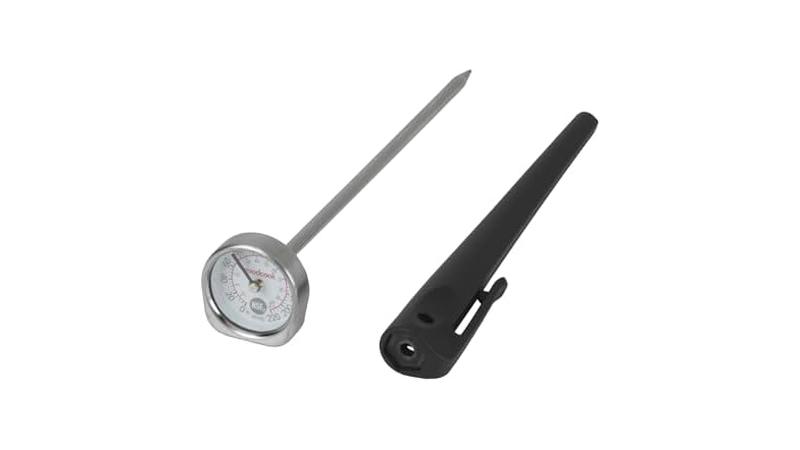
Digital thermometers are very popular because they give quick, clear numbers. Older dial thermometers are simpler but can sometimes be harder to read precisely.
The main job of a meat thermometer is to provide a precise internal temperature. This is key for food safety. For example, chicken needs to reach 165 degrees Fahrenheit (74 degrees Celsius) to be safe to eat.
Beef and pork need to reach about 145 degrees Fahrenheit (63 degrees Celsius) for medium-rare, with higher temperatures for more well-done results. Knowing these safe temperatures helps you cook confidently and avoid undercooked or overcooked food.
Types of Meat Thermometers
There are several kinds of meat thermometers out there. Each has its own way of working and its own pros and cons. Understanding these differences can help you pick the right one for your needs and also understand why a particular thermometer might be acting up.
Instant-Read Thermometers
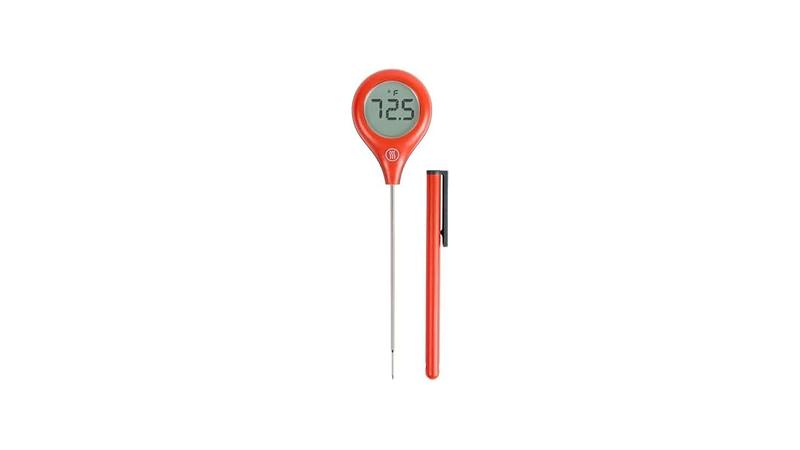
These are the most common type for quick checks. You stick them in the meat for a few seconds, and they give you a reading. They are great for steaks, chicken breasts, and roasts.
They have a thin, pointed probe that quickly gets to the core temperature of the food.
Instant-read thermometers are known for their speed and accuracy. They are battery-powered for digital models and have easy-to-read screens. Many modern ones also have features like backlights for dim kitchens or probes that fold away for easy storage.
The key is their fast response time to temperature changes.
Oven-Safe/Probe Thermometers
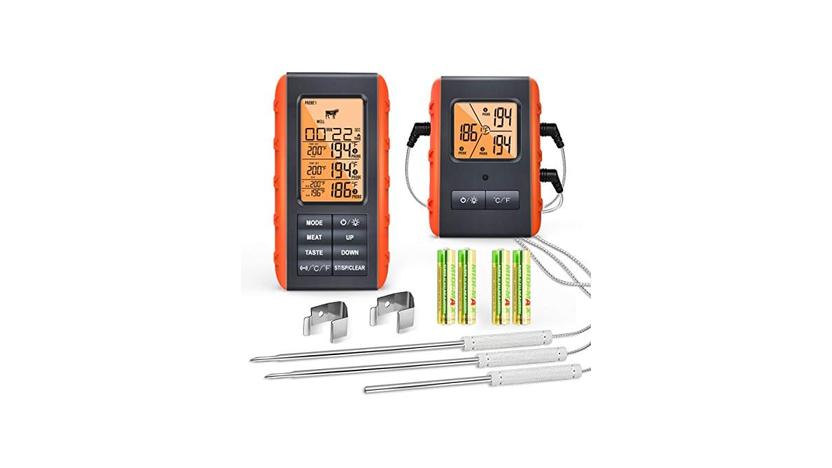
These have a probe that stays in the meat while it cooks in the oven or on the grill. A wire connects the probe to a display unit that sits outside the cooking area. This lets you monitor the temperature without opening the oven or grill door, which helps keep the heat steady.
These are ideal for large cuts of meat like roasts, turkeys, or pork shoulders, where you need to monitor the temperature over a long cooking time. Some advanced models have multiple probes, allowing you to track different items at once. They are designed to withstand high cooking temperatures.
Smart Thermometers
These are the high-tech versions. They connect to your smartphone or tablet via Bluetooth or Wi-Fi. You can monitor your food’s temperature remotely and often get alerts when it’s done.
They usually come with apps that offer cooking guides and timers.
Smart thermometers offer a lot of convenience. You can step away from the grill or oven and still keep an eye on your food. The apps often have preset temperatures for different types of meat and doneness levels.
This takes a lot of the guesswork out of cooking.
How Thermometers Measure Heat
Most digital meat thermometers use a thermistor or a thermocouple to measure temperature. A thermistor is a type of resistor whose resistance changes significantly with temperature. As the probe heats up, the thermistor’s resistance changes.
The thermometer’s circuitry measures this change in resistance and converts it into a temperature reading displayed on the screen.
A thermocouple works a bit differently. It’s made of two different metals joined together. When the junction of these metals is heated, it creates a small voltage.
The thermometer measures this voltage and translates it into a temperature. Thermocouples are often used in thermometers that need to measure very high temperatures quickly, like in some professional cooking equipment.
The probe itself is designed to conduct heat efficiently. It’s usually made of stainless steel, which is a good conductor. The sensor at the tip of the probe is where the actual temperature reading happens.
The faster heat reaches this sensor and the more accurately it can measure it, the quicker and more precise your thermometer’s reading will be.
Common Reasons for Slow Readings
When your meat thermometer is slow to read, it’s usually due to a few common issues. These problems are generally simple to fix and don’t mean your thermometer is broken. Often, it’s just a matter of needing a little cleaning, a fresh battery, or ensuring it’s being used correctly.
Understanding these common culprits can save you a lot of cooking stress.
One of the main reasons for a slow reading is dirt or grease on the probe. If the probe isn’t clean, heat might have trouble reaching the sensor inside. This can create a barrier that slows down the temperature transfer.
Another common issue is low battery power in digital thermometers. Batteries can weaken over time, and a struggling battery might not be able to power the display and sensor efficiently, leading to slower response times.
Sometimes, the problem isn’t with the thermometer itself but how it’s being used. For example, if you’re trying to measure the temperature of something very cold, like frozen meat, it will naturally take longer to register a stable temperature. Also, if the probe isn’t inserted deep enough into the meat, it might not be getting an accurate or complete reading, which can appear as a slow change.
We’ll explore these more.
Dirty or Damaged Probe
The probe is the part that goes into the food. If it’s covered in old food bits, grease, or burnt-on residue, it can act like an insulator. This insulation prevents heat from the meat from reaching the thermometer’s sensor quickly.
Think of it like trying to feel the heat from a fire through a thick blanket; it takes longer for the heat to get through.
Regular cleaning is essential. After each use, you should wipe down the probe with a damp cloth. For tougher bits, you might need to use warm, soapy water.
Make sure to rinse it well and dry it completely before storing. A damaged probe, perhaps bent or with the tip broken off, can also affect how it reads temperature. If you see any visible damage, it might be time for a new thermometer.
Even a small amount of dried-on residue can make a difference. This is especially true for digital thermometers where the sensor is very precise. If the sensor itself is caked with something, its ability to accurately detect the surrounding temperature is hindered.
This leads to readings that are not only slow but potentially inaccurate as well.
Impact of Residue on Sensor
The sensor, usually at the very tip of the probe, is what actually measures the heat. Any food particles or grease clinging to this sensor create a barrier. This barrier means the sensor has to wait longer for the heat to transfer from the meat to it.
This delay causes the slow reading you experience.
Imagine trying to listen to a quiet conversation through a closed door. It’s hard to hear clearly and quickly. A dirty sensor is like that closed door.
A clean sensor is like an open doorway, allowing the temperature ‘sound’ to reach the listener (the sensor) right away.
This is why thorough cleaning, especially around the tip of the probe, is so important. It ensures the sensor can directly interact with the meat’s internal heat without any interference.
Low Battery Power
For digital meat thermometers, the battery is the power source for the entire device. This includes the display screen, the internal computer that processes the temperature, and the sensor itself. When the battery starts to run low, it might not have enough power to do all these jobs efficiently.
A weak battery can cause the thermometer to struggle to power up the sensor quickly, or it might take longer for the processed temperature data to reach the display. This results in readings that appear much slower than usual, or the display might even flicker or seem dim.
The fix here is usually straightforward:
It’s a good idea to keep spare batteries on hand, especially if you use your thermometer frequently. You don’t want to discover a low battery right when you’re about to check a perfectly cooked roast. A quick battery change can often solve the Meat Thermometer Slow Reading Problem Fix.
Recognizing Low Battery Signs
Besides slow readings, low batteries can show themselves in other ways. The display might be dim or hard to read. You might see strange symbols or numbers on the screen that don’t make sense.
Sometimes, the thermometer might turn off unexpectedly. These are all clear signs that the battery needs to be replaced.
If your thermometer has a low battery indicator light or icon, pay attention to it. Many digital devices have these to give you a heads-up before the power completely dies. Don’t wait until your thermometer stops working altogether.
Changing the battery proactively ensures you’re always ready to cook.
It’s also worth noting that very cold temperatures can sometimes temporarily reduce battery performance, making a battery seem weaker than it is. If you’re using your thermometer outdoors in the winter, this might be a factor.
Improper Insertion or Contact
How you insert the thermometer probe into the meat plays a big role in how quickly and accurately it reads. The probe needs to be in the thickest part of the meat, away from any bones, fat pockets, or the surface of the food. If it’s too close to the surface, it will read the hotter or cooler surface temperature, not the internal temperature.
If the probe is not making good contact with the meat’s tissues, it can also lead to slow or inaccurate readings. For example, if the probe is angled into an air pocket or a large piece of fat, it won’t get a true reading of the muscle temperature. You want the sensor tip to be surrounded by the meat itself.
For roasts, ensure the probe goes deep into the center. For thinner cuts like chicken breasts, aim for the thickest part without hitting the bone. For ground meat patties, insert the probe from the side into the center.
Ensuring Good Contact
To get good contact, gently push the probe into the meat until you feel some resistance. If you hit something hard, like a bone, try to move the probe slightly to find a better spot. wiggle it just a little to make sure it’s nestled into the meat fibers.
For dishes like casseroles or stews, the probe should be inserted into the center of the dish, ensuring it touches the food and not the sides or bottom of the cooking vessel. The goal is to surround the sensor tip with the hot food mass.
If you’re measuring liquids like soup or sauces, make sure the probe is submerged enough to get a reading from the bulk of the liquid, not just the surface. Proper insertion is key to getting that quick, accurate temperature you need.
Calibration Issues
Over time, even good thermometers can become slightly “out of calibration.” This means they aren’t showing the exact true temperature anymore. While this usually leads to inaccurate readings rather than just slow ones, it can sometimes contribute to slow response if the thermometer is struggling to reconcile its internal reading with external conditions.
Calibration checks are a good practice, especially for digital thermometers. You can test your thermometer by sticking it into a glass of ice water. It should read 32 degrees Fahrenheit (0 degrees Celsius).
If it’s significantly off, it might need to be recalibrated or replaced. Some thermometers have a calibration function built-in.
If your thermometer allows for manual calibration, follow the manufacturer’s instructions carefully. This often involves adjusting a small screw or using a specific button sequence while the thermometer is at a known temperature (like ice water or boiling water).
A thermometer that is not calibrated correctly might take longer to settle on a reading because it’s trying to compensate for its internal error. Ensuring your thermometer is calibrated means it’s more likely to give you fast and accurate results.
Simple Fixes for Your Meat Thermometer
Now that we know why your thermometer might be slow, let’s get to fixing it! These steps are designed to be easy to follow, even if you’re not a tech whiz. We’ll start with the simplest things first, like cleaning and batteries, and move on to a few other checks.
The goal is to get your thermometer back to reading temperatures quickly so you can cook with confidence.
The most common and often effective fixes involve basic maintenance. Cleaning the probe is paramount. A clean probe can transfer heat much more efficiently, leading to faster readings.
After cleaning, check the battery. A fresh battery can make a world of difference in the performance of any digital device.
We’ll also cover how to ensure you’re using the thermometer correctly, as improper use can mimic problems that aren’t actually there. By following these straightforward solutions, you should be able to overcome the Meat Thermometer Slow Reading Problem Fix and get back to enjoying perfectly cooked meals.
Step 1: Thorough Cleaning of the Probe
This is the most important first step. Take your thermometer and a soft cloth. If you have a digital thermometer, remove the batteries first to be safe.
Use warm, soapy water and the cloth to gently scrub the entire metal probe. Pay special attention to the very tip, where the sensor is located.
You want to remove any food particles, grease, or burnt-on bits. If the residue is tough, you can soak the probe end in warm, soapy water for a few minutes. Avoid getting the handle or any electronic parts wet, especially with digital thermometers.
If you have a probe that detaches, clean it separately.
After cleaning, rinse the probe thoroughly with clean water to remove all soap residue. Then, dry it completely with a clean, soft towel. Make sure no moisture is left on the metal, especially near the connection to the handle or display unit, as this can cause other issues.
Cleaning Tips for Stubborn Residue
For really stubborn burnt-on food, you can try making a paste of baking soda and water. Apply this paste to the affected areas on the probe and let it sit for about 10-15 minutes. Then, gently scrub with a non-abrasive sponge or cloth.
Rinse and dry thoroughly.
Another method is to use a specialized grill cleaner or a cleaner designed for stainless steel. Always follow the product’s instructions and ensure it’s safe for use on food-contact surfaces. After using any cleaner, it’s crucial to rinse extremely well to remove any chemical residue.
Avoid using steel wool or abrasive scrubbers, as these can scratch the probe and potentially damage the sensor or its protective coating. A gentle approach is usually best for maintaining the thermometer’s accuracy and lifespan.
Step 2: Replace the Battery (Digital Thermometers)
If your thermometer is digital, the next crucial step is to replace the battery. Even if it seems to be working, a weak battery can cause slow performance. Locate the battery compartment, usually on the back or side of the handle.
You might need a small screwdriver to open it.
Remove the old battery and dispose of it properly. Insert a brand-new battery of the correct type. Make sure you insert it with the correct positive (+) and negative (-) ends facing the right way, as indicated in the compartment.
Most digital thermometers use small, round “button” batteries (like CR2032) or sometimes AA or AAA batteries.
Once the new battery is in, close the compartment securely. Turn on your thermometer and test it. You should notice an immediate improvement in how quickly it powers up and displays a reading.
If the slow reading problem was due to the battery, this step will likely solve it.
Battery Check and Maintenance
It’s a good habit to
When storing your thermometer for extended periods, it’s often recommended to remove the batteries. This prevents any slow drain or potential leakage that could damage the internal components. Always refer to your thermometer’s user manual for specific storage and maintenance advice.
Keep a spare battery for your thermometer in your kitchen drawer or cooking toolkit. That way, if you do encounter a low battery warning or a slow reading, you can quickly swap it out and get back to cooking without delay.
Step 3: Check for Proper Insertion
As discussed earlier, how you insert the probe is vital. Make sure the probe is inserted into the thickest part of the meat. Avoid placing it near bone, large veins, or pockets of fat.
The sensor is usually located at the very tip of the probe, so ensure this tip is fully surrounded by the meat.
For whole birds like turkeys or chickens, aim for the thickest part of the thigh, away from the bone. For roasts, go into the center. For steaks or burgers, aim for the middle of the thickest section.
Don’t just stick the probe in a little bit; it needs to go deep enough to get an accurate core temperature.
If you’re cooking something very dense, like a frozen block of meat, it will naturally take much longer for the heat to penetrate and register. Always try to cook from thawed or near-thawed. For frozen items, a thermometer might not be reliable until the item has thawed significantly.
Visualizing Correct Insertion
Imagine the probe as a thermometer for the meat’s core. You wouldn’t measure your body temperature by putting the thermometer on your skin; you’d put it under your tongue or in your ear. Similarly, the meat thermometer needs to reach the ‘core’ of the meat to give an accurate internal reading.
If you are using an oven-safe probe, ensure the probe wire is not kinked or damaged, and that it’s routed so it doesn’t touch any hot oven elements or the sides of the grill. A damaged wire can also lead to slow or erratic readings.
For digital instant-read thermometers, after a cleaning and battery check, if you’re still getting slow readings, double-check that you’re inserting the probe correctly. A quick adjustment in placement can often resolve the issue.
Step 4: Perform a Temperature Test
To see if your thermometer is working correctly after cleaning and a battery change, perform a simple temperature test. The easiest test is the ice water test. Fill a glass with crushed ice and water.
Stir it for a minute to ensure the water is as cold as possible and the ice is evenly distributed.
Insert the clean, dry probe of your thermometer into the ice water. It should reach 32 degrees Fahrenheit (0 degrees Celsius) within a few seconds. If it reads significantly higher or lower, or if it takes a very long time to get close to 32°F, your thermometer might have an issue beyond simple maintenance.
Another test is the boiling water test. Bring a pot of water to a rolling boil. Carefully insert the probe into the boiling water, making sure it doesn’t touch the bottom or sides of the pot.
It should read 212 degrees Fahrenheit (100 degrees Celsius) at sea level. Altitude affects boiling point, so adjust expectations if you live at a high elevation.
Interpreting Test Results
If the ice water test reads 32°F quickly and accurately, and the boiling water test reads close to 212°F (or your local boiling point), your thermometer is likely functioning correctly in terms of its temperature sensing ability. Any slow readings in actual cooking might then be related to specific cooking conditions or the food itself.
If your thermometer fails these tests, it might be faulty. Inaccurate or consistently slow readings that persist after these checks often mean it’s time to consider a replacement. However, for most common issues, the cleaning and battery replacement steps usually resolve the Meat Thermometer Slow Reading Problem Fix.
If you suspect calibration issues, and your thermometer has a calibration feature, now would be the time to consult its manual and perform that calibration. This process can sometimes correct slight deviations that might contribute to slower response times.
Maintaining Your Thermometer for Longevity
Once you’ve fixed your slow-reading thermometer, you’ll want to keep it in great shape. Proper care and maintenance are key to ensuring it continues to give you fast, accurate readings for years to come. This means more than just washing it after each use; it involves how you store it and handle it regularly.
The most important habit is to clean it thoroughly after every single use. This prevents build-up that can lead to future problems. Also, storing it correctly will protect the probe and electronics.
Batteries should be checked periodically, and you should always be aware of how your thermometer behaves.
By adopting these simple maintenance practices, you can prevent the Meat Thermometer Slow Reading Problem Fix from happening again and ensure your thermometer is always a reliable tool in your kitchen.
Regular Cleaning Practices
As we’ve emphasized, regular cleaning is the number one way to keep your thermometer working well. Always wash the probe immediately after you use it. Don’t let food residue dry and harden on the metal.
Use warm, soapy water and a soft cloth.
After washing, always dry the probe completely. Moisture left on the metal can lead to corrosion or damage, especially if it gets into the electronic parts of a digital thermometer. A clean, dry probe transfers heat more effectively, leading to quicker temperature readings.
For digital thermometers, be careful not to submerge the handle or the display unit in water. Only the metal probe should come into contact with water and cleaning solutions. Wipe down the handle and display with a damp cloth as needed.
Preventing Build-up
The best way to prevent stubborn build-up is to clean the probe right after you pull it out of the food. This is when any grease or juices are still wet and easy to wipe away. Waiting even a few minutes can make a difference in how hard you have to scrub later.
If you use your thermometer frequently, consider a quick wipe-down with a food-safe sanitizer spray after cleaning and drying. This adds an extra layer of hygiene and can help keep the probe in pristine condition. However, always ensure the sanitizer is rinsed off or evaporated before the next use.
For probe thermometers that stay in the oven, clean them gently to avoid bending the probe or damaging the wire. Some are dishwasher safe, but always check the manual to be sure. Hand-washing is generally the safest bet.
Proper Storage
How you store your meat thermometer can significantly impact its lifespan. Avoid tossing it loosely into a kitchen drawer where it can get bumped, bent, or scratched. The probe is delicate and needs protection.
Many instant-read thermometers come with a protective sheath or cap for the probe. Always use this when storing the thermometer. This protects the sensor tip from damage and keeps it clean.
If your thermometer didn’t come with one, you can often find universal probe covers.
Store the thermometer in a dry place. Avoid areas with high humidity or extreme temperatures. If it’s a digital thermometer, remember to remove the batteries if you plan to store it for a very long time (months or more) to prevent battery leakage.
Protecting the Probe and Electronics
When storing, try to position the thermometer so the probe is not pressing against anything hard. If the probe is bent or damaged, it can affect both its speed and accuracy. A bent probe might not insert correctly into the meat, leading to poor contact.
For oven-safe probe thermometers, wind the wire neatly to avoid kinks. Store the display unit separately or in a way that its screen is protected. Some people store these in their original boxes or in a dedicated utensil drawer to keep them safe.
If your thermometer has fold-out probes, make sure they fold away properly and are secured. Loose parts can get damaged during storage. Gentle handling and mindful storage will extend the life of your thermometer considerably.
Battery Management
For digital thermometers, managing the batteries is key. As mentioned, replacing them annually is a good practice. However, also be mindful of battery life during use.
If you’re cooking for a long time, and your thermometer seems sluggish, it might be time for a fresh battery.
When replacing batteries, always use the specified type. Using the wrong size or type can damage the thermometer. Keep spare batteries handy, and if you notice any corrosion on the battery terminals, clean them gently with a pencil eraser or a cotton swab dipped in a little vinegar.
If you find your thermometer battery drains very quickly, even with new batteries, it could indicate an internal issue with the device. This might be a sign that the thermometer is nearing the end of its life or has a defect. Consistent, rapid battery drain is not normal.
Extending Battery Life
To extend battery life, turn off your digital thermometer when you’re not actively using it. Many models have an auto-shutoff feature, but it’s good practice to turn it off manually if you’re stepping away for a while. This conserves power and prevents accidental activation.
Avoid exposing your thermometer to extreme temperatures, as this can affect battery performance and lifespan. If you’re using it outdoors in very cold weather, the battery might seem weaker. Bringing the thermometer to room temperature before using it can help.
Proper battery management ensures that when you grab your thermometer, it’s ready to go and will give you quick, reliable readings without delay. This proactive approach to maintenance is crucial for avoiding cooking mishaps.

Troubleshooting Common Cooking Scenarios
Sometimes, the thermometer itself is fine, but the way it behaves with certain foods or cooking methods can be confusing. Understanding how different foods and temperatures affect your thermometer can help you interpret its readings better and avoid unnecessary worry about the Meat Thermometer Slow Reading Problem Fix.
For instance, very dense or frozen foods will naturally take longer to heat through. Also, cooking methods that involve rapid temperature changes, like searing on a grill, can make it harder for a thermometer to get a stable reading instantly. We’ll look at some common situations and how your thermometer might react.
By knowing what to expect in different cooking scenarios, you can use your thermometer more effectively and confidently, ensuring delicious results every time.
Cooking Frozen or Dense Foods
If you’re cooking meat straight from the freezer or something very dense like a large block of cheese or a very thick cake, it will take a considerable amount of time for the heat to penetrate to the center. A thermometer inserted into a frozen item will register a very low temperature and will slowly climb as the food thaws and heats.
This is not a problem with the thermometer itself, but with the physics of heat transfer. It takes time for heat to move through a cold, dense mass. Be patient and allow ample cooking time.
For frozen meats, it’s often recommended to thaw them first for more even cooking and more predictable thermometer readings.
When checking dense foods, ensure the probe is inserted deeply into the thickest part. If you are checking a frozen item, the reading will be very slow to change initially. You may need to leave the probe in place for several minutes, and check it periodically, to see any significant movement in temperature.
Tips for Frozen Item Checks
For frozen items, aim to insert the probe once the outer layer has started to thaw and soften slightly. If you try to force a probe into solid ice or frozen meat, you risk damaging the probe or getting a completely inaccurate reading. Wait until the surface is at least slightly pliable.
When cooking from frozen, always add extra cooking time. A good rule of thumb is to add about 50% more cooking time than you would for a thawed item. Monitor the internal temperature closely as it gets closer to your target, and be patient.
The thermometer will eventually give you an accurate reading once the heat has had a chance to conduct through the food.
If you’re making something like a loaf of bread or a dense cake, ensure the probe goes all the way to the center. Sometimes the edges cook much faster than the middle, so a reading from the edge can be misleading. The center will be the last to reach the desired temperature.
Using the Thermometer on a Grill or Broiler
Grilling and broiling involve very high, direct heat. When you insert your thermometer into meat on a hot grill or under a broiler, you’re exposing it to rapid temperature changes. This can sometimes cause a thermometer to take a moment to stabilize its reading as it adjusts to the new heat environment.
Make sure your thermometer is rated for high temperatures if you’re using it directly on the grill. Oven-safe thermometers are designed for this. For instant-read thermometers, quickly insert the probe, get your reading, and remove it to avoid overheating the thermometer itself.
If the meat is very cold and you’re placing it on a searing hot grill, the temperature difference can be extreme. The thermometer will need time to adjust from the cold of the meat to the heat of the grill and then to the internal temperature of the meat as it cooks. This process can take a few extra seconds.
Quick Checks for High Heat Cooking
The key here is speed and accuracy. For instant-read thermometers, aim to get the reading within 5-10 seconds. If it’s taking much longer, especially after cleaning and battery checks, there might be another issue.
However, a few extra seconds of stabilization time is normal when dealing with such high external heat.
If you’re using a wired probe thermometer for grilling, ensure the wire is protected from direct flame and the element. Too much heat on the wire can affect the reading or damage the connection. Keep the display unit away from the direct heat source of the grill.
When checking doneness, it’s often helpful to take multiple readings from different parts of the meat. This gives you a better average and ensures you’ve hit the target temperature in the thickest areas. Don’t be alarmed if a reading fluctuates slightly on a very hot grill; look for the stable temperature.
Understanding Temperature Fluctuations
It’s normal for temperature readings to fluctuate slightly, especially with digital thermometers that are constantly updating. These fluctuations are usually very small and shouldn’t cause concern. They are often just the thermometer recalibrating itself to the immediate environment.
However, if you see drastic swings in temperature (e.g., going up 20 degrees, then down 15 degrees rapidly), this could indicate a problem. This might be a sign of a faulty sensor, a loose connection in a wired thermometer, or a failing battery in a digital one. These kinds of wild swings are not typical of normal operation.
When checking food, aim for a stable reading. Once the temperature stops climbing rapidly and settles, that’s usually your most accurate reading. If it continues to jump around erratically even after a minute, then it’s time to investigate further using the troubleshooting steps we’ve discussed.
When to Be Concerned
You should be concerned if the temperature readings are consistently off by a significant amount, even after performing the ice water and boiling water tests. For example, if your thermometer consistently reads 10-15 degrees higher or lower than it should, it needs calibration or replacement.
Another sign of concern is if the thermometer takes an unusually long time to register any temperature change at all, even after being in hot food for several minutes. This suggests the sensor is not responding properly or heat is not being conducted effectively.
Erratic, large fluctuations are also a red flag. If you see the temperature jump up and down by large margins without any obvious reason, it points to an internal issue that likely cannot be fixed with simple maintenance.
Frequently Asked Questions
Question: Why is my instant-read meat thermometer showing different temperatures each time I use it?
Answer: This could be due to a few things. Ensure the probe is completely clean and dry. Also, check that you are inserting it to the same depth and into the same part of the meat each time.
For digital models, a weak battery can sometimes cause inconsistent readings. Performing an ice water test can help determine if the thermometer itself is calibrated correctly.
Question: My oven-safe probe thermometer wire seems to be giving faulty readings. What should I do?
Answer: Inspect the wire carefully for any kinks, cuts, or damage. A damaged wire can interfere with the signal from the probe to the display unit, leading to inaccurate or slow readings. Ensure the wire is not touching any hot oven elements or the sides of the oven, as this can also cause issues.
If the wire appears damaged, it’s often best to replace the thermometer.
Question: Can I use my meat thermometer in candy making?
Answer: Many meat thermometers, especially digital ones rated for high temperatures, can be used for candy making. However, it’s crucial to check the thermometer’s temperature range. Candy making requires very high temperatures (often over 300°F or 150°C), and not all meat thermometers are designed for this.
Also, sugar can be very sticky, so thorough cleaning is essential afterward.
Question: My meat thermometer is digital but won’t turn on at all.
Answer: This most likely means the battery is completely dead or needs replacing. Open the battery compartment and might be an internal issue with the thermometer’s electronics, and it may need to be replaced.
Question: How often should I recalibrate my meat thermometer?
Answer: For most home cooks, recalibration isn’t needed very often. A good practice is to test your thermometer (using the ice water or boiling water method) every few months or if you suspect its readings are off. If your thermometer has a specific recalibration feature, refer to its manual for instructions on how and when to use it.
Frequent testing can help identify issues early.
Final Thoughts
Getting your meat thermometer to read quickly again is usually quite simple. A clean probe and a fresh battery are often all it takes to solve the Meat Thermometer Slow Reading Problem Fix. Always ensure correct insertion into the thickest part of your food.
Keeping your thermometer clean and stored properly will help it last longer and perform better.