Is your meat thermometer acting up and beeping when it shouldn’t? You’re not alone! Many people run into this problem, especially when they’re new to using these handy kitchen gadgets.
It can be frustrating when you’re trying to cook a perfect meal and your thermometer is making noise for no reason. But don’t worry, fixing a Meat Thermometer Keeps Beeping Fix is usually quite simple. We’ll walk you through it step-by-step so you can get back to worry-free cooking.
Let’s find out what’s causing the beep and how to stop it.
Understanding Your Meat Thermometer’s Beeping
Meat thermometers are great tools for making sure your food is cooked just right. They help prevent undercooking and overcooking, which means safer and tastier meals. Most modern digital meat thermometers have a beep feature to let you know when your food has reached the target temperature.
This beep is a helpful alert, especially when you’re busy in the kitchen and can’t constantly watch the display. However, sometimes the thermometer beeps even when the food isn’t ready, or it won’t stop beeping. This is where troubleshooting becomes necessary.
The beep can also be a signal that something is wrong with the thermometer itself. It might be trying to tell you about a low battery, a connection issue, or even that it’s overheating. For beginners, these unexpected beeps can be confusing because they don’t know if it’s a normal function or a problem.
Figuring out why the beep is happening is the first step to solving it. We’ll explore the common reasons why your thermometer might be beeping constantly and guide you through the simple steps to resolve it.
Common Reasons for Unwanted Beeping
Several things can cause your meat thermometer to beep when it’s not supposed to. Often, it’s a simple setting that has been accidentally changed, or a minor issue that’s easy to fix. One of the most frequent causes is related to the temperature alarm settings.
Many thermometers allow you to set a target temperature, and they will beep when that temperature is reached. If this alarm is set too low, or if the probe is placed near a heat source other than the food, it might trigger the beep prematurely.
Another common culprit is the battery. Low batteries can sometimes cause electronic devices to behave erratically, leading to strange beeping sounds. It might seem like a simple fix, but a dying battery can indeed cause a thermometer to beep incessantly as it struggles to maintain power or signal its impending failure.
It’s always a good idea to check the batteries first when you encounter unusual behavior.
- Temperature Alarm Misconfiguration: Your thermometer might have a preset temperature alarm that is not adjusted correctly for the food you are cooking. For example, if you are cooking a chicken breast that needs to reach 165°F (74°C) but the alarm is set to 100°F (38°C), it will beep as soon as the meat reaches that lower temperature.
- Probe Placement Issues: Where you place the thermometer probe matters a lot. If the probe touches a hot surface like the side of a grill, the bottom of an oven, or even a very fatty part of the meat that heats up faster, it can register a falsely high temperature. This high reading can then trigger the temperature alarm.
- Battery Problems: A weak or dying battery is a frequent cause of erratic behavior in electronic devices, including meat thermometers. When the battery level drops, the thermometer might not have enough power to function correctly. This can manifest as a constant beeping sound, often a low-frequency or intermittent tone, indicating that the battery needs to be replaced.
- Device Malfunction or Damage: In some cases, the thermometer itself might be faulty or damaged. If the thermometer has been dropped, exposed to extreme temperatures, or has water damage, its internal components could be compromised. This damage can lead to unpredictable behavior, including continuous beeping, even if the batteries are new and the settings are correct.
This misconfiguration is very common, especially if you’ve recently used the thermometer for a different type of meat or dish. Different foods require different internal temperatures for safety and optimal taste. For instance, beef might need to reach 130-145°F (54-63°C) for medium-rare, while pork typically needs to be 145°F (63°C) or higher.
If you forget to reset the alarm for your new cooking task, the thermometer will beep at the wrong time.
Imagine you’re grilling burgers. If the probe accidentally touches the hot grill grate, the thermometer might read a much higher temperature than the inside of the burger. This will cause the alarm to sound, even though the burger is still raw inside.
Similarly, if the probe is too close to the bone in a roast, the bone conducts heat differently, leading to an inaccurate and potentially premature alarm.
Think of it like your phone when the battery is almost dead. It might start acting strangely, showing weird notifications or shutting down unexpectedly. A meat thermometer with a low battery can do something similar.
The beeping might be its way of trying to signal that it’s running out of juice and needs fresh batteries to operate properly.
For example, if you accidentally immerse a digital thermometer in water for too long, moisture can seep into the electronic components. This can cause short circuits or corrosion, leading to all sorts of problems, including persistent beeping. Similarly, a fall from a height could dislodge internal wires or damage the circuit board, affecting its normal operation.
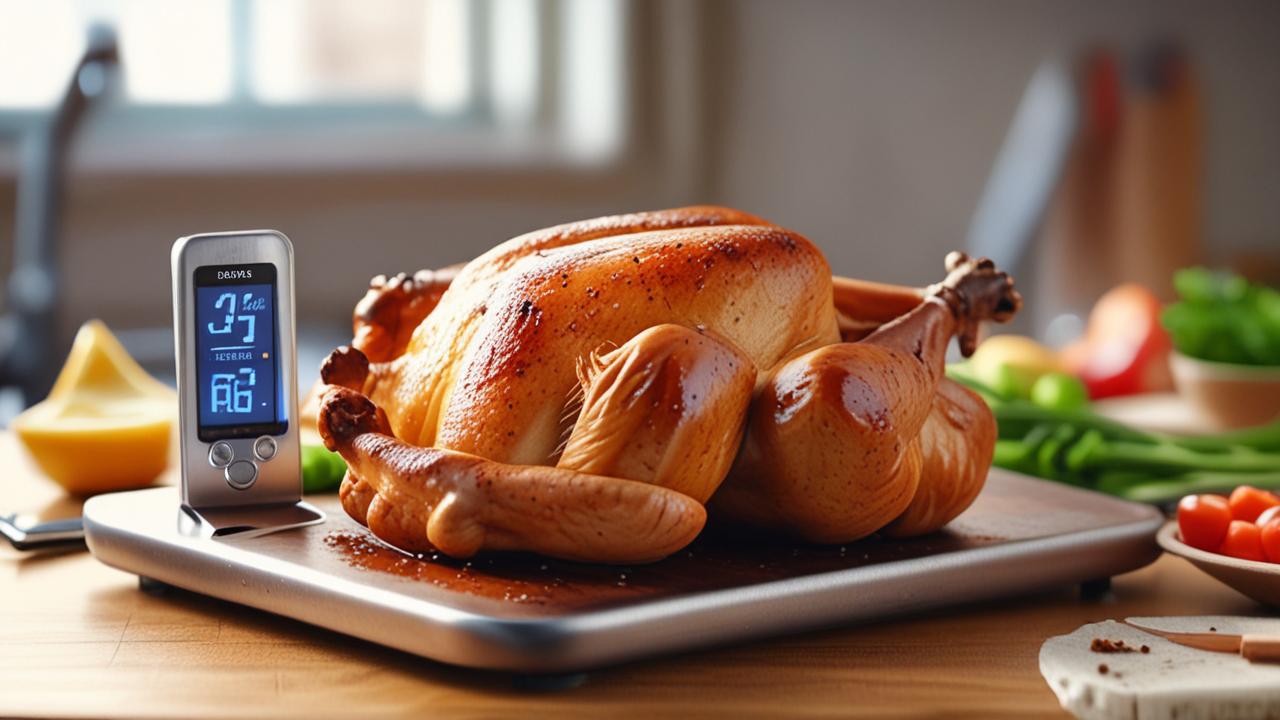
How to Achieve a Meat Thermometer Keeps Beeping Fix
When your meat thermometer starts beeping unexpectedly, the first step to fixing it is to remain calm. Most of these issues are not serious and can be resolved with a few simple checks. We’ll go through a systematic process to help you identify the cause and apply the right solution.
This approach will save you time and prevent unnecessary frustration in the kitchen.
The goal here is to systematically eliminate possible causes. By checking the most common problems first, you can often resolve the beeping issue quickly without needing to resort to more complex solutions. Let’s start with the easiest and most likely fixes.
Step-by-Step Troubleshooting Guide
To get your thermometer working correctly again, follow these steps carefully. Each step targets a common cause for the beeping. By working through them, you’ll be able to pinpoint the problem and apply the appropriate fix.
- Check and Replace Batteries: This is the easiest and most common fix.
- Reset the Thermometer: Many digital devices have a reset function that can clear temporary glitches.
- Verify Temperature Settings: Make sure the target temperature for your alarm is set correctly.
- Examine the Probe: Check the probe for any damage or food debris.
- Test in Different Conditions: To see if the beep is related to the cooking environment, try testing the thermometer outside of the oven or grill.
- Consult the User Manual: If you’re still stuck, your thermometer’s manual is your best friend.
Open the battery compartment, usually located on the back or side of the thermometer. Remove the old batteries and insert fresh ones, making sure they are oriented correctly (+ and – signs aligned). If your thermometer uses coin cell batteries, ensure they are the correct type and are new.
Some thermometers have a small reset button, often a tiny hole that requires a paperclip to press. Others might require you to remove the batteries for a minute or two to reset them. Consult your thermometer’s manual if you’re unsure how to reset it.
Most thermometers have buttons to adjust the target temperature or to turn the alarm on or off. If you’re cooking chicken, for example, ensure the alarm is set to the safe internal temperature for chicken, which is typically 165°F (74°C). If you just want to monitor the temperature without an alarm, ensure the alarm feature is turned off.
A bent or broken probe might not be making good contact. Clean the probe gently with warm, soapy water and dry it thoroughly. Ensure the probe wire (if it’s a remote probe) is not frayed or kinked.
Hold the probe in the air or in a cup of room-temperature water and see if it still beeps. This helps determine if the issue is with the thermometer itself or how it’s interacting with the heat source.
It often contains specific troubleshooting tips for your particular model. You can usually find these manuals online if you’ve misplaced yours.
Understanding Temperature Alarms
Temperature alarms on meat thermometers are designed to alert you when your food has reached a safe and desirable internal temperature. These alarms are incredibly useful for achieving consistent results. You set a specific temperature, and the thermometer will beep or flash when that temperature is detected by the probe inserted into the food.
For instance, when cooking a steak to medium-rare, you might set the alarm to 130°F (54°C). Once the steak reaches this internal temperature, the thermometer will beep, signaling that it’s time to remove the steak from the heat. This prevents overcooking and ensures your steak is perfectly juicy.
Understanding how to set and adjust these alarms is key to preventing unwanted beeping.
- Setting the Target Temperature: Most digital thermometers allow you to manually set a desired temperature.
- Alarm On/Off Function: You should be able to turn the alarm feature on or off.
- Pre-programmed Food Settings: Some advanced thermometers come with pre-programmed settings for common types of food like beef, pork, chicken, and fish.
This is usually done using up and down arrow buttons or a dial. You navigate through the temperature options until you reach the one you need for your specific cut of meat or poultry. For example, a turkey needs to reach 165°F (74°C) throughout to be safe to eat.
You would set the alarm to this temperature.
If you are using the thermometer for spot checks and don’t need a continuous alarm, simply turn it off. This is a common fix if the thermometer is beeping without a specific temperature target set. Many users accidentally leave the alarm on from a previous cooking session.
These settings automatically select the ideal cooking temperature for each food type, taking the guesswork out of setting the alarm. If your thermometer has this feature, select the correct food type for the dish you are preparing.
Troubleshooting Probe Issues
The probe is the part of the thermometer that goes into the food. It’s essential for accurate temperature readings. If the probe isn’t working right, it can lead to incorrect beeping or no readings at all.
Let’s look at what can go wrong with probes and how to fix it.
A damaged probe might not transmit temperature data correctly. This can confuse the thermometer’s internal computer, causing it to malfunction. Cleaning the probe is also important, as grease or food particles can insulate the probe and affect its ability to sense the true temperature of the meat.
- Cleaning the Probe: Food debris or grease can build up on the probe.
- Checking Probe Connection: For thermometers with detachable probes, ensure the probe is securely plugged in.
- Probe Wire Damage: The thin wire connecting the probe to the thermometer’s display unit can be vulnerable.
- Probe Calibration: Some high-end thermometers can be calibrated.
This buildup can act as an insulator, preventing the probe from accurately measuring the meat’s internal temperature. This might cause the thermometer to register a lower temperature than reality, and if an alarm is set, it won’t beep when it should. Conversely, sometimes a buildup can cause a false high reading, triggering an unwanted beep.
Always clean the probe with warm, soapy water after each use and dry it completely.
A loose connection can cause intermittent readings or a complete loss of signal, which might trigger a beeping error. Gently push the probe into its socket until it feels firm. If the wire is frayed or damaged near the connection point, it may need to be replaced.
If this wire is kinked, bent too sharply, or has any nicks or cuts, the temperature signal might be interrupted or distorted. This can lead to erratic readings and beeping. Inspect the entire length of the wire for any signs of damage.
If you find any, and the wire is not replaceable, the entire unit might need to be replaced.
If your thermometer has a calibration function, and you suspect inaccurate readings, you might need to recalibrate it. This process usually involves placing the probe in ice water and adjusting the thermometer until it reads 32°F (0°C). Consult your manual for specific calibration instructions.
Advanced Meat Thermometer Fixes and Maintenance
Sometimes, the simple fixes don’t do the trick, and you might need to explore some more advanced troubleshooting or implement better maintenance habits. Taking good care of your thermometer will prevent many issues from arising in the first place. Let’s look at what else you can do.
Regular maintenance can prevent the need for frequent fixes. Understanding how to properly store your thermometer and how to perform occasional checks can extend its life and ensure it always works when you need it. These practices are not difficult and can save you money in the long run.
When to Consider a Replacement
If you’ve tried all the troubleshooting steps and your thermometer still beeps erratically, it might be time to consider a replacement. Electronic devices, like any other tool, have a lifespan. Continuous beeping that can’t be resolved often indicates an internal fault that can’t be easily repaired by the user.
Think about how old the thermometer is, how much it cost, and how frequently you use it. If it’s a very old or inexpensive model, the cost and effort of trying to fix it might not be worth it compared to buying a new, more reliable one. Modern meat thermometers offer many features that can make your cooking experience even better.
- Persistent Erratic Beeping: If the thermometer consistently beeps without any clear reason, even after battery changes and resets, it’s a strong sign of internal damage.
- Inaccurate Readings: If your thermometer consistently gives readings that seem off, even when you’re sure of the food’s temperature, it’s a sign of a failing probe or sensor.
- Physical Damage: Obvious physical damage, such as a cracked screen, a bent probe, or a damaged wire, can often lead to functional problems.
- Lack of Features or Outdated Technology: Sometimes, the decision to replace is driven by the desire for better features.
This could be due to moisture getting into the device, damage from a drop, or component failure. Unless you have advanced electronic repair skills, these issues are often unfixable for the average user.
This unreliability makes it a dangerous tool for cooking, as you can’t trust its readings to ensure food safety. Investing in a new thermometer with reliable accuracy is important.
While minor dents might not affect performance, significant structural damage compromises the integrity of the device and its ability to function correctly. This is especially true for waterproof models if the casing is compromised.
Older models might lack features like Bluetooth connectivity, app integration, or faster read times that newer thermometers offer. If your current thermometer is causing frustration, a modern upgrade might be a worthwhile investment for better cooking results and convenience.
Preventative Maintenance Tips
To keep your meat thermometer working well and avoid the dreaded beeping, a little preventative care goes a long way. These simple habits will help ensure your thermometer is reliable for years to come.
Think of it like caring for any other kitchen tool. Regular cleaning and proper storage will prevent damage and ensure it’s always ready when you need it for your next meal.
- Always Clean After Use: Never put your thermometer away dirty.
- Proper Storage: Store your thermometer in a safe place where it won’t get damaged.
- Battery Care: Remove batteries if you plan to store the thermometer for an extended period.
- Avoid Extreme Temperatures: Do not leave your thermometer in a hot oven, grill, or freezer when not in use.
Food residue can become a breeding ground for bacteria and can also interfere with the probe’s accuracy over time. Wash the probe with warm, soapy water, rinse it, and dry it completely before storing. For digital displays, wipe them down with a damp cloth.
Avoid storing it loose in a drawer where it can get bent or scratched. Many thermometers come with protective sleeves or cases; use them! If yours didn’t, consider buying a small protective case.
Keep it away from extreme heat or moisture.
This prevents battery leakage, which can corrode the battery contacts and damage the thermometer’s internal electronics. Replace batteries regularly, especially if you notice any signs of weakening performance.
Extreme temperatures can damage the electronic components and affect the accuracy of the readings. Most digital thermometers are not designed to withstand prolonged exposure to high heat.

Real-World Examples and Case Studies
Let’s look at some common scenarios where a Meat Thermometer Keeps Beeping Fix was needed and how it was resolved. These examples show how the steps we’ve discussed apply in real cooking situations.
Understanding how others have solved similar problems can provide valuable insights and make troubleshooting your own thermometer much easier. These stories highlight the practical application of the advice given.
- Case Study 1: The Overly Eager Alarm
- Case Study 2: The Low Battery Signal
- Case Study 3: The Dirty Probe Problem
Sarah was cooking a roast chicken for Sunday dinner. She had recently used her digital thermometer for pork chops, which needed a lower target temperature. She forgot to reset the alarm for the chicken.
As soon as the chicken’s skin reached around 140°F (60°C), the thermometer started beeping loudly. She realized her mistake, quickly reset the alarm to 165°F (74°C), and the beeping stopped. The chicken cooked perfectly.
John was grilling steaks and his thermometer suddenly started emitting a weak, continuous beep. He assumed it was ready, but the internal temperature was still low. He checked the battery compartment and saw a low battery indicator.
He replaced the batteries, and the beeping stopped, allowing him to accurately monitor the steak’s temperature until it was done.
Maria was cooking a large ham. Her thermometer’s alarm kept going off prematurely. She cleaned the probe, thinking it was just some grease.
However, a small piece of charred meat was stuck deep in the probe’s sensor. After carefully cleaning it out with a toothpick and then washing it, the thermometer started giving accurate readings, and the beeping problem was solved.
Sample Scenarios for Troubleshooting
Here are a couple of typical situations you might encounter with a beeping meat thermometer:
- Scenario: The thermometer beeps immediately after you insert it into the meat, and the display shows a very high temperature, much higher than you expect.
- Scenario: The thermometer beeps intermittently, and the temperature readings jump around erratically.
Possible Cause: The probe might be touching a hot surface, like the side of the oven or a very hot part of the grill. Alternatively, the probe might be faulty and giving a false high reading. Solution: Try repositioning the probe so it’s in the thickest part of the meat and not touching any metal surfaces.
If it continues to beep with a high reading, try testing it in a cup of room-temperature water to see if it’s an issue with the thermometer itself.
Possible Cause: This could be due to loose battery connections, a damaged probe wire, or an internal malfunction. Solution: First, ensure the batteries are seated correctly and try new ones. Then, carefully inspect the probe wire for any kinks or damage.
If the wire looks fine and new batteries don’t help, it might be time to consider a replacement unit.
Frequently Asked Questions
Question: Why does my meat thermometer beep even when the food isn’t ready?
Answer: This usually happens if the temperature alarm is set too low for the food you are cooking, or if the probe is touching a hot surface that is giving a false high reading. You might have forgotten to reset the alarm from a previous use.
Question: My thermometer beeps constantly. What should I do?
Answer: The most common reason for constant beeping is a low battery. Try replacing the batteries with fresh ones. If that doesn’t work, the thermometer might be malfunctioning, and you may need to reset it or consider a replacement.
Question: Can I fix a damaged meat thermometer probe?
Answer: Minor cleaning might help if the probe is dirty. However, if the probe wire is frayed, bent severely, or the probe itself is physically damaged, it is often not repairable by a user. In such cases, replacement of the thermometer is usually the best option.
Question: How do I know if my thermometer needs new batteries?
Answer: Look for signs like erratic beeping, dim display, or the thermometer shutting off unexpectedly. Some models have a specific low-battery indicator. Replacing the batteries is a simple first step for almost any thermometer issue.
Question: Is it okay to wash a digital meat thermometer in the dishwasher?
Answer: Generally, no. Most digital meat thermometers are not dishwasher safe. Water can seep into the electronic components and cause damage.
It’s best to hand wash the probe with warm, soapy water and wipe the display unit clean with a damp cloth.
Final Thoughts
Your meat thermometer beeping might seem like a problem, but it’s usually a simple fix. By checking the batteries, resetting the device, and ensuring your temperature settings are correct, you can quickly resolve the issue. Don’t let a beeping thermometer stop your cooking plans.
A few easy steps will get it back to working perfectly so you can enjoy delicious, safely cooked meals.