It can be frustrating when your meat thermometer suddenly shows an error code. You’re trying to cook something perfectly, and then this unexpected message pops up! For many people who are new to using these handy gadgets, figuring out what the error code means can seem like a big puzzle.
But don’t worry, it’s usually a pretty simple fix. We’ll walk you through exactly what to do, step by step, to get your thermometer working again. Ready to get back to worry-free cooking?
Let’s find out how to handle that Meat Thermometer Showing Error Code Fix.
Troubleshooting Common Meat Thermometer Error Codes
When a meat thermometer displays an error code, it’s essentially its way of telling you something isn’t quite right. These codes are designed to help you pinpoint the problem quickly so you can resolve it without too much fuss. Understanding these common signals can save you time and prevent unnecessary frustration in the kitchen.
This section will help you decode what those blinking letters and numbers might mean and what steps you can take to correct them.
Understanding What Error Codes Mean
Error codes on meat thermometers are like little warning lights on your car. They alert you to an issue that needs attention. These codes are usually specific to the brand and model of the thermometer, so the exact meaning can vary.
However, many point to common problems like probe issues, battery levels, or connectivity glitches. By recognizing these codes, you take the first step toward fixing them.
- Low Battery Indication: Many thermometers will show a code or a specific icon when the batteries are running low. This is one of the simplest issues to address and often resolves the problem immediately. Low power can cause the thermometer to behave erratically or display incorrect readings.
- Probe Connection Problems: The probe is the part that goes into the meat. If it’s not connected properly to the main unit, or if the probe itself is damaged, an error code might appear. This is common if the probe has been dropped or its wire has been bent too much.
- Temperature Out of Range: Some advanced thermometers will display an error if the probe detects a temperature that is too high or too low for it to accurately measure. This usually means the probe is too close to a heat source like a grill’s flame or is in an environment far too cold.
When your thermometer shows a low battery warning, often a simple battery change will do the trick. Look for a battery compartment, usually on the back or side of the unit. Ensure you use the correct type of battery, as specified by the manufacturer.
If the error persists after changing the batteries, it’s time to look at other possibilities.
Probe connection issues can be a bit trickier. Sometimes, the probe just needs to be firmly seated in its port on the thermometer body. Other times, the wire might be frayed or broken internally, which would require replacing the probe itself.
Always handle the probe with care to avoid damaging its delicate internal wires.
The “temperature out of range” error is less about a malfunction and more about how the thermometer is being used. It’s a safety feature. If you’re aiming for a medium-rare steak and the thermometer shows an error, it might be because the probe is touching a red-hot part of the grill.
Gently move the probe away from direct heat.
Basic Troubleshooting Steps
Before you assume your thermometer is broken, there are a few simple things you can try. These often solve the problem quickly and easily, getting you back to cooking without any stress. Think of these as the first aid for your thermometer.
- Check the Batteries: This is always the first step. Even if you think the batteries are new, try replacing them with a fresh set.
- Re-seat the Probe: If your thermometer has a detachable probe, unplug it and plug it back in firmly. Make sure it’s all the way in.
- Clean the Probe and Jack: Sometimes, a little bit of grease or debris can interfere with the connection. Gently clean the probe tip and the port where it connects.
- Reset the Device: Many electronic devices have a reset function. Look for a small reset button or try removing the batteries for a minute and then reinserting them.
For step one, make sure you are using the correct battery type. For example, some thermometers use AAA batteries, while others might use small coin cell batteries. Using the wrong type can sometimes cause unusual behavior.
When re-seating the probe, give it a gentle wiggle to ensure a good connection. If the probe wire looks damaged, like it’s frayed or has a kink, this might be the source of your error.
Cleaning the probe and jack is simple. Use a damp cloth or a soft brush to remove any food particles or residue. For the jack, a cotton swab can be helpful, but make sure it’s not too wet.
Resetting the device is like giving it a fresh start. Removing the batteries for a short period allows the internal memory to clear, which can fix temporary glitches. Some devices have a tiny button you need a paperclip to press.
Common Error Codes and Their Meanings
While specific codes vary by brand, we can look at general patterns. Most error codes fall into a few categories. Knowing these categories helps you guess what the problem might be even if you don’t have the manual handy.
- “Err” or “E”: Often indicates a general malfunction or a problem with the probe.
- “Lo” or “LH”: Usually means the temperature is too low or too high to be measured accurately.
- “BAtt” or a battery icon: Clearly signals low battery power.
- “OPEN”: Can suggest the probe is disconnected or broken, creating an open circuit.
If you see “Err,” it’s good to go through the basic troubleshooting steps first. Sometimes, a simple restart fixes it. If the problem continues, it might point to a more serious issue with the thermometer’s internal components.
The “Lo” or “LH” codes are usually related to the extreme temperatures your probe is exposed to. It’s a safeguard to prevent the thermometer from giving you bad data when conditions are beyond its limits.
The “BAtt” code is straightforward. Your thermometer needs new batteries to function correctly. Don’t ignore this, as it can lead to inaccurate readings or complete failure.
“OPEN” is a more technical term. It means the electrical path that measures temperature is not complete. This typically happens if the probe wire is cut or if the connection point is corroded or damaged.
Meat Thermometer Showing Error Code Fix: Deeper Dives
When the basic steps don’t solve the issue, we need to look a little closer at what might be causing your meat thermometer to display an error. This section is dedicated to exploring more specific causes and their solutions, helping you get your trusty cooking tool back in action. We’ll cover everything from probe care to environmental factors.
Probe-Related Issues and Solutions
The probe is the heart of your meat thermometer. If it’s not working right, the whole device can’t do its job. Most error codes are linked to the probe in some way, whether it’s a physical problem or a connection issue.
- Damaged Probe Wire: The thin wire connecting the probe tip to the thermometer body can be fragile. If it gets kinked, bent too sharply, or otherwise damaged, it can break internally. This prevents the signal from reaching the thermometer.
- Corroded Probe Tip or Jack: Over time, the metal parts of the probe tip or the jack where it plugs in can corrode, especially if exposed to moisture or certain cleaning agents. Corrosion creates resistance, interfering with the electrical signal.
- Loose Probe Connection: Even if the wire isn’t broken, a loose connection at either the probe end or the thermometer jack can cause intermittent errors or complete failure.
A damaged probe wire is often visible as a bend or fraying. If you suspect this, you might need to replace the probe. Many thermometers allow you to buy replacement probes, which is much cheaper than buying a new thermometer.
Corrosion can look like a greenish or whitish residue. You can try cleaning it gently with a pencil eraser or a very fine-grit sandpaper. Be careful not to damage the metal further.
For the jack, a cotton swab with a tiny bit of isopropyl alcohol can help remove corrosion.
A loose connection might feel like the probe wiggles around too much. Ensure it clicks into place or feels snug when plugged in. Sometimes, a small amount of dielectric grease can help improve and protect the connection, but check your manual first.
When to Replace a Probe
You should consider replacing your probe if you notice any of these signs:
- The wire is visibly frayed, kinked severely, or has exposed wires.
- The probe tip is bent or damaged and won’t straighten.
- Cleaning doesn’t resolve connection issues or erratic readings.
- The error code specifically points to an “open” or “broken probe” condition, and other fixes haven’t worked.
Replacing a probe is a straightforward process for most models. You simply unplug the old one and plug in the new one. Always buy an official replacement probe from the manufacturer or a reputable seller to ensure compatibility and quality.
A damaged probe is a common culprit for “Meat Thermometer Showing Error Code Fix” scenarios. It’s often easier and more cost-effective to replace just the probe rather than the entire thermometer.
Battery Issues Beyond Simple Replacement
While low batteries are the most common battery-related problem, other issues can arise. These might include incorrect battery insertion or using incompatible battery types.
- Incorrect Battery Orientation: Batteries must be inserted with the correct positive (+) and negative (-) ends facing the right way. If inserted incorrectly, the thermometer won’t power on or may behave strangely, sometimes showing an error.
- Using Old or Weak Batteries: Even if batteries are the correct type, if they’ve been sitting around for a long time, they might not have enough power to operate the thermometer reliably.
- Faulty New Batteries: Though rare, sometimes even new batteries can be defective.
Always double-check the diagram inside the battery compartment for correct placement. It’s usually marked with ‘+’ and ‘-‘ symbols.
If you’re using rechargeable batteries, ensure they are fully charged. Some devices are sensitive to the voltage output of batteries.
If you suspect a new battery is faulty, try using a different brand or a fresh pack from a different source.
Environmental and Usage Factors
Sometimes, the thermometer is fine, but the way we’re using it, or the environment it’s in, causes the error. This is especially true for high-temperature cooking.
- Extreme Temperatures: Probes have a maximum temperature they can read. If the probe is exposed to temperatures far beyond its range (e.g., directly in a flame or extremely cold ice bath), it might display an error like “LH” (too hot) or “Lo” (too cold).
- Moisture Intrusion: While many probes are water-resistant, submerging the main unit or the probe connection jack in water can cause damage and lead to errors.
- Physical Impact: Dropping the thermometer or the probe can damage internal components, leading to error codes.
To avoid temperature range errors, always insert the probe into the thickest part of the meat, away from bone and fat. If using it on a grill, keep the probe away from direct flames.
When cleaning, only wipe the probe with a damp cloth. Never put the main unit or the probe connection in a dishwasher or submerge it in water.
If the thermometer or probe has been dropped, inspect it carefully for any visible damage. Even a small crack can compromise its function.
Example Scenario: The BBQ Mishap
Imagine you’re grilling burgers for a backyard party. You stick your thermometer into a burger, and it immediately shows “Err.” You checked the batteries, they’re fresh. You re-seated the probe, no change.
You then notice the probe wire is a bit close to a flare-up from dripping fat. You pull the probe away, and after a minute, the thermometer starts reading a normal temperature. The “Err” code was likely a protection mechanism because the probe got too hot, too fast.
Example Scenario: The Sous Vide Surprise
You’re using your thermometer with a sous vide machine, and it shows “OPEN.” You’ve cleaned the jack and probe. You realize that during a previous use, the probe wire got snagged on something and now has a slight kink near the handle. This kink is likely causing a break in the internal connection, leading to the “OPEN” error.
The solution here would be to try and gently unkink the wire, or if that doesn’t work, replace the probe.
Getting the Most Out of Your Meat Thermometer
To prevent future error codes and ensure your meat thermometer serves you well for years to come, proper care and usage are key. This section offers practical tips to extend its life and maintain its accuracy. Following these guidelines can save you headaches and ensure delicious results every time.
Proper Cleaning and Storage
How you clean and store your thermometer significantly impacts its longevity and reliability. Treating it with care ensures it’s always ready when you need it.
- Clean After Every Use: Always wash the probe after you use it. Use warm, soapy water and a soft cloth or sponge. Rinse thoroughly and dry completely.
- Avoid Harsh Cleaners: Do not use abrasive scrubbers, harsh chemicals, or solvents, as these can damage the probe’s coating or internal components.
- Keep the Jack Dry: Pay special attention to keeping the probe jack (where the probe plugs in) dry. If it gets wet, dry it with a soft cloth immediately.
- Store Safely: Store the thermometer in a cool, dry place. If it comes with a protective sleeve or case, use it. This prevents the probe from being bumped or damaged.
Proper cleaning not only keeps your thermometer hygienic but also prevents residue buildup that can interfere with readings or connections. A clean probe is a happy probe!
Storing the thermometer safely means preventing it from getting crushed in a drawer or having its probe wire bent. A dedicated spot in a kitchen drawer or a hanging hook can work well.
Understanding Different Thermometer Types
While many error codes are universal, different types of meat thermometers might have unique issues. Knowing your type helps in troubleshooting.
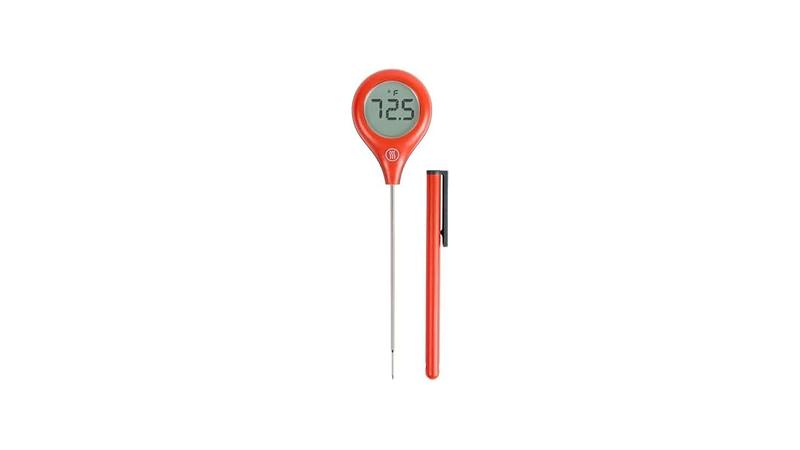
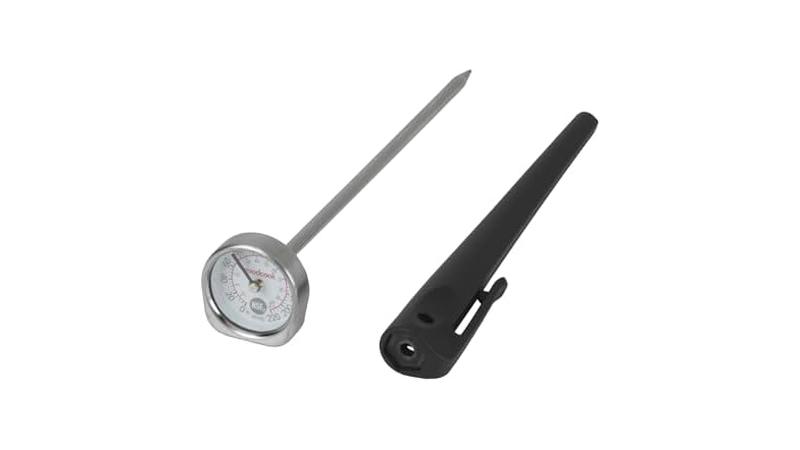
Instant-Read Thermometers: These are the most common. They have a probe and a digital display. Errors often relate to the probe connection or battery life.
Their simple design means fewer complex failure points.
Oven-Safe Thermometers: These have probes that can stay in the oven or grill. The main unit sits outside. Errors can occur if the wire connecting the probe to the unit is damaged by heat or gets pinched.
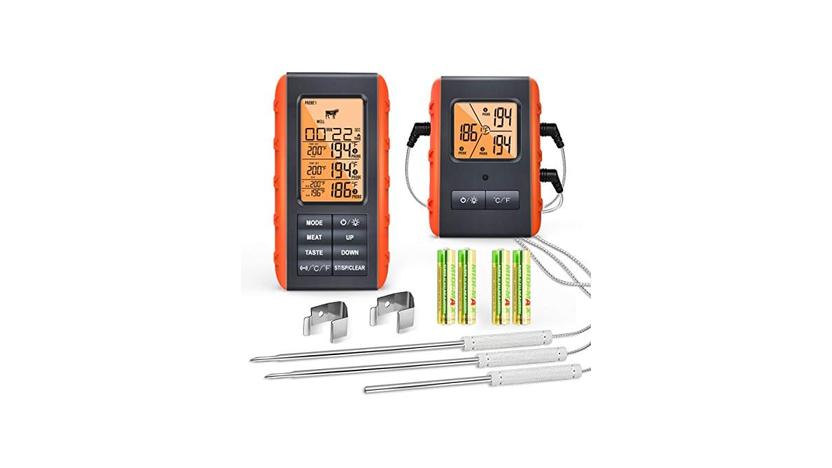
Wireless/Bluetooth Thermometers: These connect to your phone or a base unit. Errors can sometimes stem from connectivity issues, pairing problems, or low battery in either the thermometer unit or the receiver/phone.
For wireless models, ensure your phone’s Bluetooth is on and that the thermometer is properly paired. Sometimes, unpairing and re-pairing the device can fix connection errors.
Calibration and Accuracy Checks
While not directly related to error codes, ensuring your thermometer is accurate is vital. An inaccurate thermometer can lead you to believe food is cooked when it isn’t, or overcook it, ruining your meal.
You can check calibration using a simple ice water test. Fill a glass with ice cubes, then add cold water. Stir for about 30 seconds.
Insert the thermometer probe into the ice water, ensuring it doesn’t touch the sides or bottom of the glass. It should read 32°F (0°C) within a few seconds. If it’s off by more than a degree or two, it might need calibration or replacement.
Some digital thermometers have a calibration function built-in. Check your manual to see if yours does. Following the calibration steps can correct minor inaccuracies.
If your thermometer consistently reads off, even after calibration, it might be time for a new one. However, before you do that, always try the basic troubleshooting for error codes first.
Real-Life Case Study: The Holiday Roast Rescue
A home cook was preparing a large turkey for Thanksgiving. Halfway through cooking, the oven-safe thermometer, which had been reliable for years, displayed “ERR.” Panic set in. The cook remembered the wire connecting the probe had been slightly pinched by the oven door the last time it was used.
After carefully checking the wire for damage and ensuring the connection at both the probe and the oven unit was secure, the error cleared. The cook realized that even seemingly minor damage to the probe wire can cause significant issues.
Real-Life Case Study: The Digital Thermometer Glitch
Another user found their digital instant-read thermometer showing “OPEN.” They had recently dropped it on the kitchen floor. After trying new batteries and cleaning the probe, the error persisted. Upon closer inspection, they noticed a very faint crack near the base of the probe where it meets the handle.
This small crack likely allowed moisture to seep in, or a tiny internal wire to break. They ordered a replacement probe, and the “OPEN” error disappeared once it was installed.
Frequently Asked Questions
Question: My meat thermometer shows “ERR.” What should I do first?
Answer: Start by checking and replacing the batteries with fresh ones. Then, make sure the probe is firmly plugged into the thermometer unit. If these steps don’t help, try cleaning the probe tip and the jack where it plugs in.
Question: Can I use my meat thermometer in a very hot oven?
Answer: Most oven-safe meat thermometers are designed for oven use, but their probes have a maximum temperature limit. Always check your thermometer’s manual for its specific temperature range. Placing the probe too close to heating elements or flames can cause an error or damage the probe.
Question: My digital thermometer gives different readings each time I use it. Is it broken?
Answer: Inconsistent readings can be due to several factors. Ensure the probe is inserted into the thickest part of the meat, away from bone. Try a calibration check using ice water.
If the readings remain unreliable, it might indicate a calibration issue or a need for a new probe or thermometer.
Question: How do I clean the probe of my meat thermometer?
Answer: Always clean the probe with warm, soapy water and a soft cloth or sponge after each use. Rinse it well and dry it completely before storing. Avoid using abrasive cleaners or putting the probe in a dishwasher.
Question: My wireless meat thermometer won’t connect to my phone. What’s wrong?
Answer: First, ensure Bluetooth is enabled on your phone and that the thermometer is charged and turned on. Try turning both devices off and on again. If it still won’t connect, try unpairing the thermometer from your phone’s Bluetooth settings and then re-pairing it.
Conclusion
Dealing with a “Meat Thermometer Showing Error Code Fix” is usually straightforward. Most issues stem from simple problems like batteries, probe connections, or usage errors. By following these steps, you can often resolve the error quickly.
Keep your thermometer clean and handle it with care. You’ll be back to perfect cooking in no time.