
If you’re asking how do you reset a meat thermometer, chances are something isn’t working the way it should. Maybe the screen is frozen, the reading looks wildly inaccurate, the display says “ERR,” or your wireless unit refuses to connect. A malfunctioning thermometer is more than an inconvenience—it can ruin a perfectly good brisket or, worse, lead to undercooked poultry. The good news is that in many cases, restoring proper function is simple and takes only a few minutes. This in-depth guide walks through every reset method for digital, Bluetooth, wireless, and dial thermometers, explains when a reset actually helps, and shows what to do if it doesn’t.
When a Meat Thermometer Actually Needs a Reset
Before jumping into button combinations and battery removal, it’s important to recognize the signs that indicate a reset is appropriate. Electronic cooking thermometers are small computers. Like any electronic device, they can freeze, glitch, or store temporary faults that interfere with performance.
Common situations where resetting helps include:
- The display is frozen and won’t respond to buttons
- The thermometer won’t power off or on
- The screen shows an error code
- Bluetooth pairing fails repeatedly
- The reading is stuck at a specific number
- The unit behaves erratically after a battery change
In contrast, resetting will not fix a physically damaged probe, a melted cable, or a sensor that has failed internally. Distinguishing between a software glitch and hardware damage saves time and frustration.
How to Reset a Digital Meat Thermometer (Standard Models)
Most handheld instant-read thermometers follow a simple reset process. These devices run on removable batteries and store temporary electrical charge even after being powered off. Clearing that charge restores factory operation in many cases.
Basic Power Cycle Reset
Step 1: Turn the thermometer off completely.
Step 2: Remove the battery from the compartment.
Step 3: Press and hold the power button for 10–15 seconds. This drains residual electricity stored in internal capacitors.
Step 4: Wait one full minute.
Step 5: Reinsert the battery and power the unit back on.
This process is often enough to fix display freezes, incorrect button response, and random glitches. If you’re troubleshooting an inaccurate reading, follow this reset with a calibration check.
Resetting a Thermometer With a Built-In Rechargeable Battery
Some newer models contain sealed lithium batteries instead of removable ones. In that case:
- Power off the unit
- Press and hold the power button for 15–20 seconds
- If there is a small reset pinhole, gently press it with a paperclip
- Allow the device to reboot fully before testing
Because internal batteries cannot be removed, the long button hold substitutes for draining residual charge.
How to Reset a Bluetooth or Wireless Meat Thermometer
Wireless thermometers introduce additional complexity because they rely on pairing with a receiver or smartphone app. When connection issues arise, the problem often stems from stored pairing data rather than hardware failure.
Resetting the Thermometer Unit
- Turn off both the transmitter and receiver.
- Remove batteries from both components.
- Wait at least 60 seconds.
- Reinstall batteries and power them on.
Resetting Bluetooth Pairing
- Open your smartphone’s Bluetooth settings.
- Locate the thermometer device.
- Select “Forget This Device.”
- Restart your phone.
- Turn the thermometer back on.
- Reconnect using the official companion app.
If your device still won’t connect, uninstall and reinstall the mobile application to clear corrupted pairing data.
Signal interference can also cause issues. Metal grill lids, smokers, and walls significantly reduce wireless range. Always test pairing within a few feet of the receiver before assuming a malfunction.
Resetting an Analog (Dial) Meat Thermometer
Dial thermometers don’t contain software, so they cannot be reset electronically. Instead, they require recalibration. If your analog unit is inaccurate, the fix involves mechanical adjustment.
Ice Water Calibration Method
- Fill a glass with ice and cold water.
- Stir and let sit for one minute.
- Insert the probe without touching the glass sides.
- The reading should stabilize at 32°F (0°C).
- If not, use a wrench to adjust the calibration nut under the dial until it reads correctly.
This mechanical adjustment restores accuracy and effectively “resets” the reading alignment.
Why a Thermometer Gets Stuck at 32°F or 212°F
A display locked at freezing or boiling temperature often indicates one of three issues:
- Sensor malfunction
- Moisture inside the probe
- Internal short circuit
If resetting doesn’t change the reading, test accuracy using both ice water and boiling water methods. If the unit fails both tests, the sensor has likely failed and replacement is necessary.
Performing an Accuracy Test After Reset
After restoring power, always confirm accuracy.
Ice Water Test
Should read 32°F at sea level.
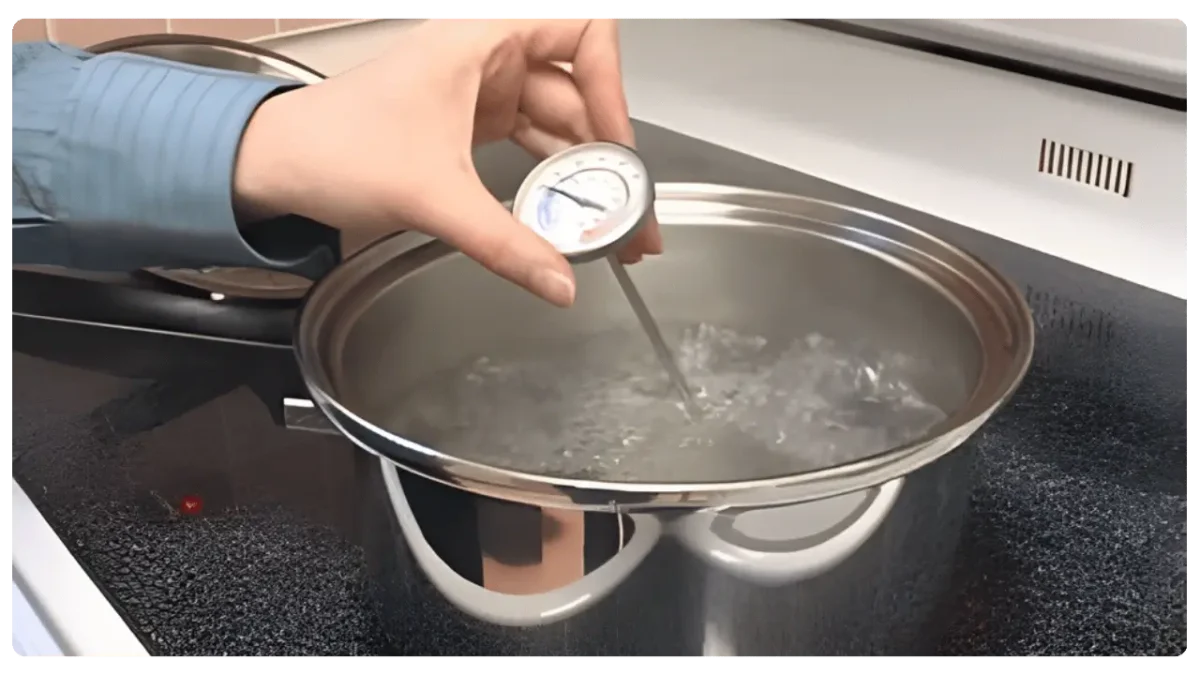
Boiling Water Test
Should read 212°F at sea level (lower at higher elevations).
If the thermometer is within 1–2 degrees, it is functioning properly. A deviation greater than 3–4 degrees suggests calibration drift or sensor failure.
Common Reset Issues and How to Solve Them
The Screen Remains Blank
Check battery orientation. Inspect battery contacts for corrosion. Clean gently with a cotton swab and rubbing alcohol.
The Device Powers On but Fluctuates Wildly
Insert the probe deeper into the meat. Avoid bone contact. Replace the probe if detachable.
Error Codes Keep Appearing
Consult the manufacturer’s manual for code definitions. Persistent “ERR” messages usually indicate probe failure.
Wireless Unit Connects but Drops Signal
Move the receiver closer. Ensure no large metal surfaces block the signal path. Update firmware if available.
Preventing the Need for Frequent Resets
- Avoid submerging digital display units in water
- Keep probe cables away from direct flame
- Replace batteries proactively
- Store in a dry environment
- Test calibration every few months
Routine care dramatically extends lifespan and reduces malfunction frequency.
When a Reset Won’t Fix the Problem
If you’ve performed a full power cycle, checked batteries, tested accuracy, and recalibrated without success, the thermometer may be beyond repair. Signs replacement is necessary include:
- Repeated sensor failure
- Melted probe wire
- Severe moisture intrusion
- Inconsistent readings after calibration
- Extremely slow response time
Precision cooking depends on reliable measurement. A faulty thermometer should not be trusted with poultry or large roasts.
Frequently Asked Questions
Can you reset a meat thermometer without removing the battery?
Yes. Many models allow a soft reset by holding the power button for 15–20 seconds. Some include a reset pinhole.
Why is my thermometer stuck at 32 degrees?
This usually indicates a sensor fault or moisture damage. Perform an ice water test and boiling water test to confirm.
How do I reset a wireless meat thermometer?
Power off both transmitter and receiver, remove batteries, wait one minute, reinstall batteries, then reconnect through the mobile app after clearing Bluetooth pairing.
Does resetting fix inaccurate readings?
Sometimes. Minor glitches can affect displayed readings, but consistent inaccuracy often requires recalibration or replacement.
Why does my thermometer keep saying ERR?
“ERR” typically signals probe disconnection or internal sensor failure. Inspect the probe cable and connections.
Final Thoughts
Knowing how to reset a meat thermometer saves time and prevents unnecessary replacements. Most digital units respond well to a simple power cycle, while dial models require mechanical recalibration. Wireless models add pairing steps but follow the same core principles: clear stored data, restore power, and verify accuracy. Always confirm performance with an ice water test before trusting the device again. Accurate temperature measurement is the foundation of safe and consistent cooking.